
MOBILE APP DEVELOPMENT
Mobile app development: iOS and Android
Ordering and booking for your customers, work tracking for your field team, approval flows inside the company or a product of your own sold by subscription: we build the app that fits your business, from idea to the App Store and Google Play. Design, code, admin panel, store release and upkeep in one team.
- 4.8 on Google · 26 reviews
- 10+ years of experience
- 500+ projects delivered
- Who is it for?
- Companies and start-ups that want a mobile app: from retail to clinics, building sites to schools; for your customers, your field team or your internal work.
- Which platforms?
- iPhone and iPad (iOS) and Android phones and tablets. Both are built together from a single Flutter codebase; web and desktop versions from the same code if needed.
- How long does it take?
- It depends on the number of screens and the systems to connect. At the end of the discovery call you get a written plan broken down by week.
- What does it cost?
- We quote per project. The number of screens, login and payments, the systems to connect and the number of languages set the price.
EXAMPLES BY SECTOR
Every sector, a different app
A café’s app takes orders and collects points; a building site’s app keeps photo reports. Pick your sector to see the apps most often asked for in that line of work, with a sample screen.
Retail and e-commerce
Your shop in the customer’s pocket: catalogue, basket, order tracking and campaign notifications. Products and stock are managed together with your website.
OFTEN ASKED FOR IN THIS SECTOR
- Mobile shop app
- Order and delivery tracking
- Basket reminders and campaign notifications
- In-store product details by QR code
Restaurants and cafés
Click-and-collect and delivery orders, ordering at the table by QR code, points and coupons. Orders reach the kitchen at once; branches run from one menu.
OFTEN ASKED FOR IN THIS SECTOR
- Click-and-collect and delivery
- Order at the table by QR code
- Points and coupons (loyalty)
- One menu for every branch
Health and clinics
Online booking, reminders and aftercare. Fewer phone calls, fewer missed appointments; patient data is designed in line with data protection law.
OFTEN ASKED FOR IN THIS SECTOR
- Booking and reminder app
- Choice of doctor and branch
- Aftercare guide
- Deposits and online payment
Education
For schools, tutoring centres and courses: students, parents and teachers in one app, with announcements, homework, mock exam results and timetables.
OFTEN ASKED FOR IN THIS SECTOR
- Parent information app
- Homework and mock exam tracking
- Timetable and attendance
- Video lessons and question bank
Manufacturing and industry
Fault and maintenance reports, quality checks and stock counts on the shop floor, from a phone: with photos and barcodes, even on a weak connection.
OFTEN ASKED FOR IN THIS SECTOR
- Fault and maintenance reports
- Quality control checklist
- Stock counts by barcode
- Work orders and shift tracking
Logistics and distribution
An app for drivers and couriers: the day’s route, proof of delivery by photo and signature, and live status updates for the customer.
OFTEN ASKED FOR IN THIS SECTOR
- Driver and courier app
- Proof of delivery: photo and signature
- Live status updates for customers
- Vehicle checklist
Construction and property
Daily photo reports and health and safety checks on site; listings, viewing appointments and progress photos for buyers in property.
OFTEN ASKED FOR IN THIS SECTOR
- Daily site report
- Health and safety checklist
- Property listings and viewings
- Progress photos for buyers
Tourism and hotels
Bookings, room service, tours and transfers in one app; guests get help in their own language, even without a connection.
OFTEN ASKED FOR IN THIS SECTOR
- Booking and check-in
- Room service and guest requests
- Tour guide and offline map
- Guest information in several languages
Fitness and beauty
Class and session booking, memberships and package tracking, and campaign notifications for gyms, studios and beauty centres.
OFTEN ASKED FOR IN THIS SECTOR
- Class and session booking
- Membership and package tracking
- Training and measurement history
- Campaign notifications
Wholesale and dealer networks
Dealer-specific prices and catalogue, one-tap repeat orders and account status; sales reps prepare quotes in the field.
OFTEN ASKED FOR IN THIS SECTOR
- Dealer ordering app
- Dealer-specific prices and catalogue
- Account and payment tracking
- Quotes for sales reps
TYPES OF APP
What job does the app do?
An app should do what a website cannot: open fast on the phone, bring people back with a notification, use the camera and location. The eight types we build most often:
-
Customer and ordering app
Catalogue, basket, order tracking and campaign notifications: a shop in your customer’s pocket.
-
Booking and reservations
Picking a free slot, reminders, deposits and cancellations; fewer phone calls.
-
Loyalty and membership
Points, coupons, a digital membership card and personal offers; customers come back.
-
Field and sales teams
Visits, quotes and photos are entered in the field and appear at head office at once, even on a weak connection.
-
Internal workflows
Requests, approvals, tasks and reports in one app; work stops getting lost between email and spreadsheets.
-
Dealer and B2B ordering
Dealer-specific prices and catalogue, repeat orders and account status on one screen.
-
Education and content
Lessons, video, exams and announcements; students, parents and teachers in one app.
-
Subscription product
Sell your own product with in-app purchases, a free trial and subscriptions. Mars Flow works on this model.
PLATFORMS
iPhone, Android and beyond
We build for iPhone and Android together from a single Flutter codebase: the same experience on both, with upkeep in one place. If needed, the same code also gives tablet, web and desktop versions.
-
iPhone and iPad
iOS · App Store
Testing on TestFlight, App Store review and release.
-
Android phones and tablets
Android · Google Play
Closed testing track, Play Console and release.
-
Admin panel
Web browser
The panel where you manage records, content and users; nothing to install.
-
Web and desktop
Browser · Windows · macOS
From the same code if needed; often asked for in internal tools.
USES WHAT THE PHONE CAN DO
- Camera and photos
- QR and barcode scanning
- Location and maps
- Push notifications
- Works offline
- Face ID and fingerprint login
- Sign in with Apple and Google
- In-app purchases
- Calendar and reminders
- File and document upload
- On-screen signatures
- Several languages
OUR OWN APP
We built it for ourselves first: Mars Flow
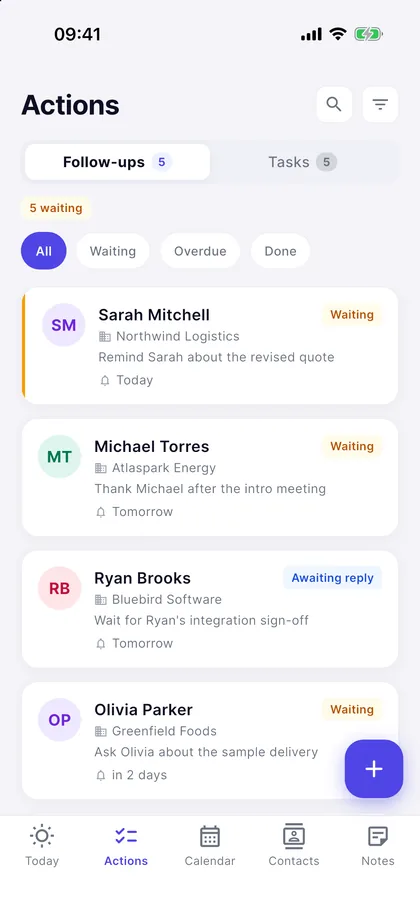
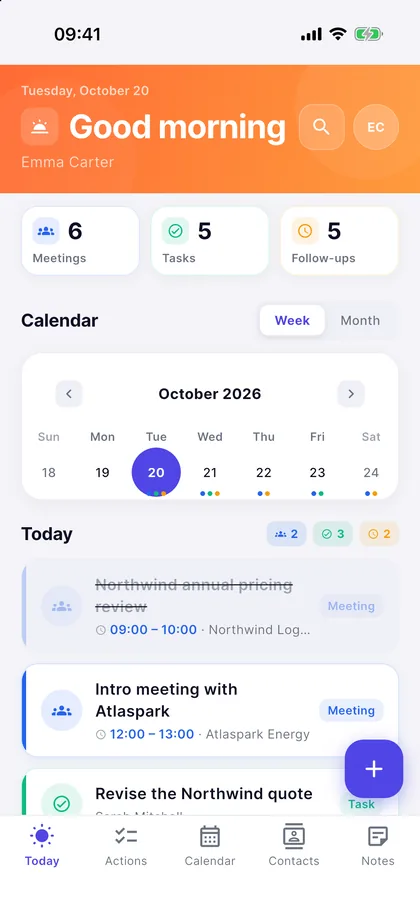
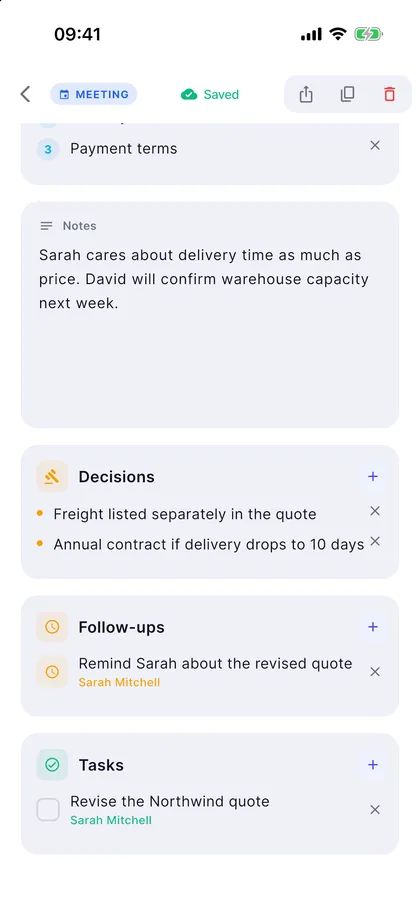
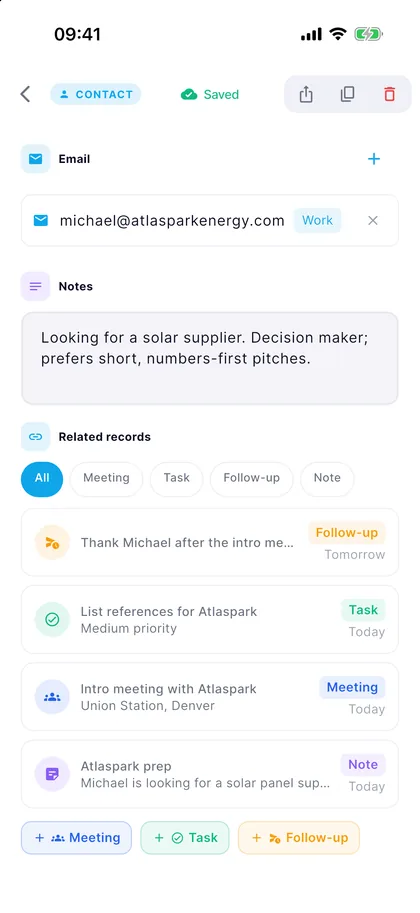
Mars Flow is a work-tracking app we built for business professionals: contacts, companies, meetings, tasks and follow-ups in one place. Design, code, subscriptions and the store processes are all our own work, end to end; it is live in both stores.
WHAT IS INSIDE
- One Flutter codebase: iOS and Android
- User accounts and cloud data
- In-app subscription, 14-day free trial
- Turkish and English interface
- Privacy screens and account deletion
-
Your day on one screen -
Never miss a follow-up -
From meeting to action -
Every contact, in context
The screens show demo data.
SCOPE
What goes into an app?
The part you see on screen is half the job. Accounts, data, connections, security and store rules are set up from the start, all in the same team.
- 01 / 08
Discovery and product plan
Who will use it, what job it does, what goes into the first version: we pin down the scope together.
- 02 / 08
Interface and prototype
Before any code, you try the screens on your phone in a clickable prototype.
- 03 / 08
iOS and Android build
One Flutter codebase: the same experience on both platforms, with shorter build and upkeep.
- 04 / 08
Server and admin panel
User accounts, data and files, and a panel to manage records. Shared with your website if needed.
- 05 / 08
Integrations
Your website, ERP and accounting software, CRM, payment and shipping services; connected per project.
- 06 / 08
Security and privacy
Secure login, encrypted connections, privacy notices and account deletion; the stores’ privacy forms included.
- 07 / 08
Analytics and crash reports
You see which screens are used and where the app gets stuck.
- 08 / 08
Store release and upkeep
The store listing, screenshots and review; version updates after launch.
PROCESS
From idea to store in five steps
Each step ends with something concrete in your hands: a scope document, a prototype, a test build or the app in the store.
- 01
Discovery
We map the need, the users and the systems to connect, and write the scope of the first version.
- 02
Prototype
We design the screens and build a clickable prototype; you try it on your phone and sign it off.
- 03
Development
We build the app in releases and send each one to your phone for testing.
- 04
Testing & store
A final check on TestFlight and the Google Play test track, then store review and release.
- 05
Upkeep
Regular upkeep for operating system updates, store rules and new features.
GOOGLE PLAY
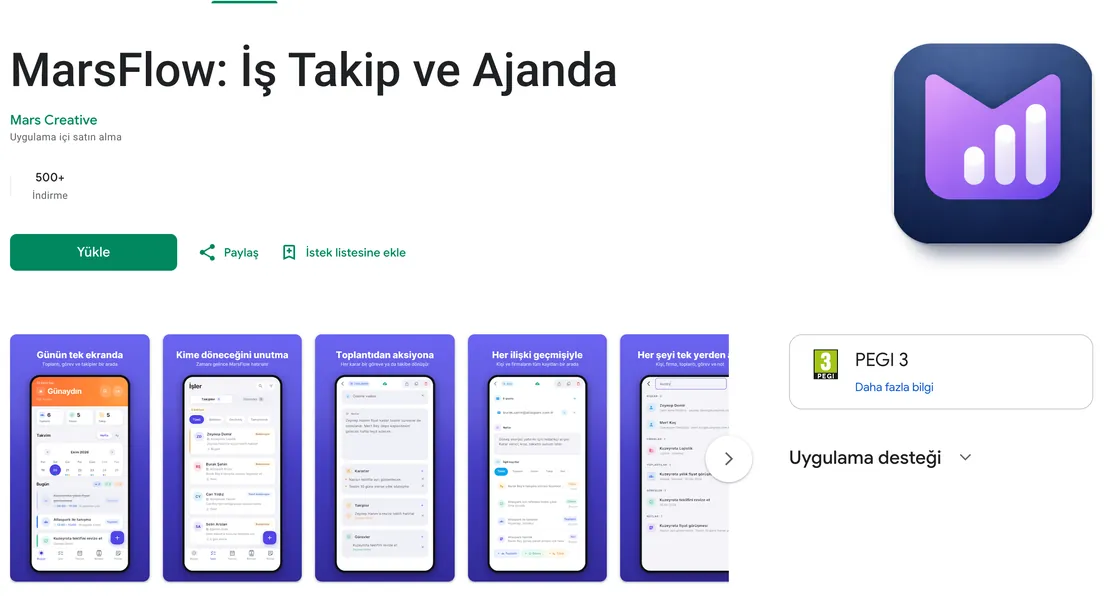
Mars Flow on Google Play
Developer: Mars Creative. The store listing, screenshots and privacy forms are part of the job too.
PRICE
Quote per project
A single figure for a mobile app would be misleading. After a discovery call we write the scope line by line and give you a firm quote.
WHAT SETS THE PRICE
- 01 Number of screens and flows
- 02 User login, payments and subscriptions
- 03 Systems to connect (website, ERP, CRM)
- 04 Need for an admin panel
- 05 Platforms and number of languages

WHO YOU WORK WITH
“We founded Mars Creative not as an agency, but as a partner that sits side by side with a small number of brands. We do not sell services — we offer care and the long view.”
Founder, Mars Creative
We run projects remotely; in Istanbul, we can also meet in person.
FAQ
Questions about
mobile apps.
If your answer is not here, let’s talk it through in a short call.
Write to us → How long does it take to build a mobile app?
The number of screens, the systems to connect and features such as payments decide it. After a discovery call we break the work into weeks and give you a written plan. Keeping the first version small and growing it later gets you to launch sooner.
What does the cost of a mobile app depend on?
The number of screens and flows, user login, payments and subscriptions, an admin panel, the systems to connect and the number of languages. We write the scope for each project and quote accordingly.
Which sectors do you build mobile apps for?
We are not tied to one sector. We can build apps for customers, field teams or internal work in retail, restaurants, health, education, manufacturing, logistics, construction and property, tourism, fitness and dealer networks. What matters is the job the app does, not the sector.
Are separate apps built for iOS and Android?
No. We ship to both platforms from a single Flutter codebase. Look and behaviour stay consistent on both, and upkeep happens in one place.
Whose name is the app published under?
The app is published in your developer account, under your name. We help you open the Apple and Google accounts and prepare the store listing and privacy forms.
Can the app connect to our website, ERP or accounting software?
Yes, depending on the project. We connect it so product, stock, order or customer data is shared with your website, your ERP and accounting software or your CRM; in discovery we decide which data comes from where.
Does the app work without an internet connection?
If needed, yes. Records entered in the field or the warehouse are kept on the phone and synced with the server once a connection is back. In discovery we decide which screens work offline.
What happens after launch?
Apple and Google release a new operating system every year and update their store rules. With a maintenance agreement we plan compatibility updates, bug fixes and new features.
MOBILE APPS
Let’s talk about your app idea
Tell us what you want to build; we will map out the scope and the path of the first version with you.